Weather station hardware
Basic weather station
Support table for known 1-wire wind vane / anemometer units
| Dallas |
Original weather station |
Working |
| AAG |
Version 2 weather station |
Working |
| AAG |
Version 3 weather station |
Working |
| AAG |
WSI603A |
Working |
| Hobby Boards |
Anemometer ADS |
Provisionally working |
| Hobby Boards |
Anemometer Inspeed |
Not supported |
| |
|
|
|
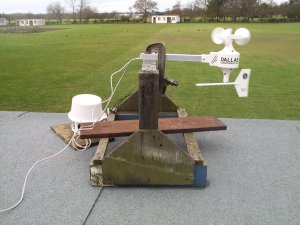
1-wire weather station on test |
Rain
There was also a ‘tipping bucket’ rain gauge available from
Dallas.
Made of a sturdy plastic moulding, this can attach to a mast. However, this is
no longer available; but AAG have
conversion
kits for the non-one-wire Davis rain gauge.
Humidity
 |
For a while Dallas had a kit for a relative
humidity sensor. This was discontinued, but you can build
one yourself, based on
information from Dallas.
AAG have two different forms of their
TAI8540
module.
The H3-R1-A humidity board is available from Hobby Boards in kit form or assembled.
Please note that solar/humidity variants from Hobby Boards
may only be assigned to Oww as either a humidity sensor
or a solar sensor – not both.
From version 0.81.6 Oww support the DS1923 hygrochron iButton,
in forced conversion mode (i.e. live data,
not missions).
|
Solar Radiation
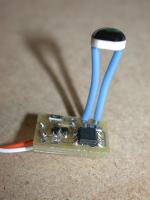 |
The old Dallas kit
could also be built up as a solar radiation monitor.
The S3-R1-A solar radiation detector is available from Hobby Boards in kit form or assembled.
Please note that solar/humidity variants from Hobby Boards
may only be assigned to Oww as either a humidity sensor
or a solar sensor – not both.
|
UV Index
Barometric pressure
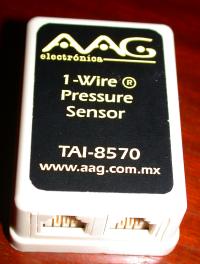
Oww can read from
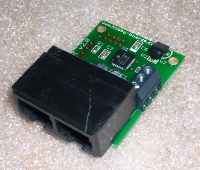
AAG TAI-8570
barometers.
- Supplied pre-calibrated - the only setup required is to account
for your station altitude
- Pressure range 300 to 1100 mBar
- Can be powered parasitically
Many thanks to AAG for supplying a sample TAI-8570.
|
 |
|
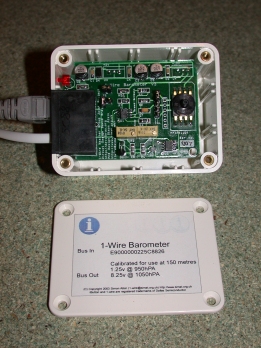
Oww can also read barometric pressure from DS2438-based
barometers. Various do-it-yourself designs have been developed. Follow these
links for more information:
Many thanks to Simon Atkin for donating a built barometer module
(pictured to the right). The BB4-R3 Bray Barometer is available from Hobby Boards in kit form or assembled.
|
 |
General-Purpose Counters
The anemometer and rain gauge both count events (cup rotations or bucket
tips) using a counter chip. Oww can read from extra “general
purpose” counters as well. One example of a possible use is a lightning
detector.
The DC2-R1 dual counter board is available from Hobby Boards in kit form or assembled.
The LD3-R2 lightning detector is available from Hobby Boards in kit form or assembled.
LCDs
LCD interfaces based on the DS2408 parallel i/o chip
may be addressed by Oww, to display weather data.
Two types of interface are suuported (they use the
two output nibbles differently):
- TAI8590 1-Wire Text User Interface from AAG.
- LCD1-R1-A LCD Driver from Hobby Boards.
Actually I don't have either of these myself.
Instead I made myself a small PCB with headers for both
configurations from their published schematics.
See also the iButton LinkHub, below.
Hubs
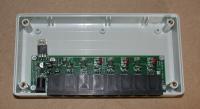
Oww now supports DS2409-based “hubs”, as described by
Simon Atkin at www.simat.enta.net
1-Wire Adaptors
The computer running Oww has to communicate with the weather station
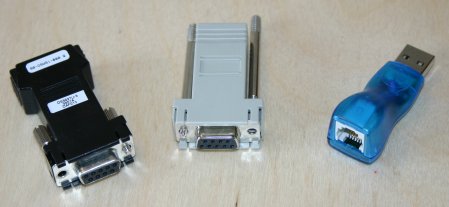
devices on the 1-wire net, using a 1-wire net adaptor. Several types of adaptor
are available, the most common of which are supported by Oww:
|
- Maxim / Dallas DS9097U and
DS9097U-E25 (not tested)
- The DS9097U series adaptors are based on the DS2480 RS232 to 1-wire
adaptor. They are supported by all versions of Oww.
- iButton Link
- The LINK is an RS232 to 1-wire adaptor, built around a micro-controller that
emulates the behaviour of a DS2480. Its 1-wire interface is reckoned to be
superior to the DS2480, making it especially suitable for long or complicated
1-wire networks. It is supported by all versions of Oww.
- Maxim / Dallas DS9490R
- The DS9490R
is a USB to 1-wire adaptor, with an RJ11 1-wire connexion.
There are also the DS9490B and older DS1490F adaptors, intended for iButtons,
which may be adapted for connexion to a wired net.
Oww support for USB adaptors is as follows:
| OS |
USB Supported? |
Notes |
| RISC OS |
No |
No support planned |
| Linux |
Yes |
See note about USB configuration |
| BSD |
Maybe |
Should work, but I've not succeeded yet |
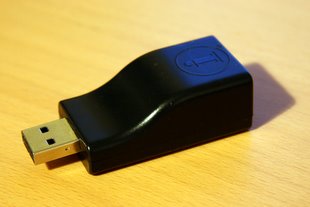
- Eclo USB Adaptor
- The
Eclo USB Adaptor combines a DS2480 1-wire adaptor with an FTDI USB-serial converter.
This means that, so long as the appropriate kernel module is loaded, it will appear as a normal serial port.
For example, referring to the output of
dmesg, my system assigns it to /dev/ttyUSB0,
so I can set driver /dev/ttyUSB0 in the devices file.
Note that a special ID is set on the FTDI chip, so that the kernel recognises it as an Eclo adaptor.
This required a patch to the source for older versions of the kernel module. I don't think that
has been included for the NSLU2 yet (?) but it is in main-line distributions such as OpenSuSE.
 |
| Eclo USB adaptor |
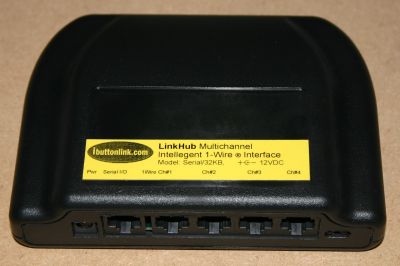
- iButtonLink LinkHub
- The LinkHub is
an RS232 to 1-wire adaptor similar to the Link.
However, it provides four 1-wire buses, like a hub.
Although these are electrically separate buses,
logically they are seen as a single bus.
Oww will therefore not show any extra hub DS2409 switch devices when
a LinkHub is connected.
Further DS2409-based hubs may be cascaded off the LinkHub.
- I have run the LinkHub from my Linux PC with no problems.
However, there may be compatibility issues between some hardware
and LinkHub firmware releases. This is being investigated.
Reports would be very welcome.
 |
| The iButtonLink LinkHub |
- LinkUSB
- The LinkUSB is
a USB to 1-wire adaptor similar to the Link, but interfaced through USB.
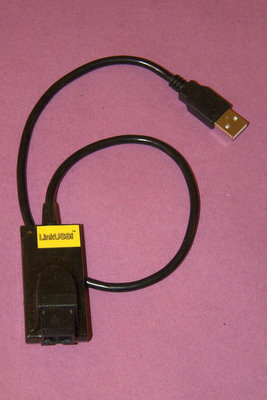 |
| The iButtonLink LinkUSB |
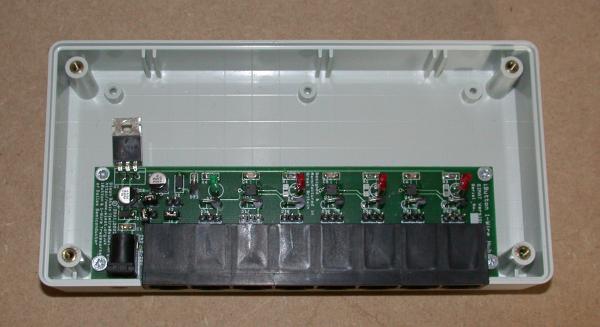
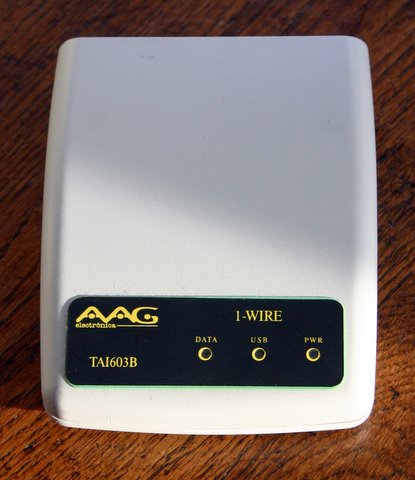
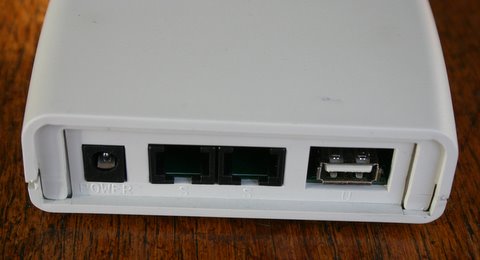
AAG WSI603B 1-wire Adaptor
The WSI603B does now work under Linux, but you have to be careful with your kernel driver.
It is based on the Silicon Labs CP2101 USB-to-serial adaptor. Previously this was not very well supported under Linux.
However, if your distribution uses a recent version of the CP210x driver,
rather then the older driver supplied by Silicon Labs, you should be Ok.
I run openSUSE, and version 11.3 is now running cp210x v0.09, which I can confirm works with the WSI603B.
The adaptor is most convenient to use with the new AAG weather station, as it uses the new RJ45 pinout AAG
adopted, and supplies power sourced from an external 12V supply. There are two 1-wire RJ45 sockets,
so for example you may use one cable to your wind head, and another to a local sensor, such as a barometer.
The internal opto-isolation will make me slightly less nervous when lightning comes by.
Computer Hardware
As well as full-blown computers running Linux/BSD or RISC OS, I now have Oww running
on the Linksys NSLU2 network storage unit, or Slug.
This is an XScale-based unit, running Linux, intended to provide
a home server to Windows machines, by using Samba.
There is a group of hackers at www.nslu2-linux.org
who have greatly expanded its functionality.
It is equiped with two USB ports. I'm using one for a USB2 external
hard disk (in principle it could work with just a USB flash drive instead)
and the other for a DS9490R 1-wire adaptor. I have owwnogui logging to
the disk, and uploading to Weather Underground.
|
|
Some advantages of using this device over a normal PC are:
- Silent operation (just the hard disk)
- Low power
- Inexpensive (worth considering, especially in view of lightning damage)
|

|
You will need to follow the instructions on the Web site to convert your slug to unslung.
Then you should log in as root, and install the oww package:
ipkg install oww
Start off with owwnogui in interactive mode,
so that you can assign the devices:
owwnogui -i
You will need to use the interactive commands a to select the adaptor port to use, as the default /dev/ttyS0( isn't present on the Slug.
Instead, you will want to choose either a USB serial port connected to a DS9097 (or similar) or a DS9490 USB 1-wire adaptor.
USB Serial Port and DS9097
To add a USB serial adaptor to the slug you'll need to install some
extra kernel module packages. To find out which, under Linux look at the output of the dmesg command,
it should give you some clues. Mine ends with
"Prolific PL2303 USB to serial adaptor driver".
Under Windows you can try looking at the
Device Manager entry for the COM port.
Mine says "Prolific USB-to-Serial Comm Port".
So clearly mine uses the Prolific chip! This is a common one.
Next you need to install the required kernel modules.
You'll need to:
ipkg install kernel-module-usbserial
Then you'll need to hardware-specific module:
ipkg install kernel-module-pl2303
Possible alternatives are
kernel-module-belkin-sakernel-module-ftdi-siokernel-module-mct-u232
but there might be more.
For testing you can load these by hand:
insmod usbserial
insmod pl2303
The module should then claim the port (dmesg reports ...PL-2303 converter now attached to ttyUSB0...).
Now you can run owwnogui in interactive mode (owwnogui -i)
and set the driver to the USB serial port:
devices driver /dev/ttyUSB0
Now carry on with the devices setup, below, but to make
the modules load automatically at startup you will then need
to create a script. I made /opt/etc/init.d/S79usbserial
(it needs to have a name that comes before S80oww so that it
runs first). The contents are just the insmod lines
for your setup.
Be sure to make the file executable (chmod a+xr /opt/etc/init.d/S79usbserial).
DS9490 USB-to-1-wire Adaptor
If you're using a DS9490 adaptor you just need to run owwnogui in interactive mode (owwnogui -i) and select the USB driver.
devices driver USB
The DS9490 can through up a few problems especially for an unslung NSLU2.
My recommendation is to use version 0.82.1-1 in conjunction with libusb version 0.1.12-1.
I have built a version of the old .ipk to host here as it has since been replaced on the normal feed.
Since the difference between this the later version is a patch for digitemp, I presume that won't
work with the old version.
You may need to tell ipkg to remove any more up-to-date versions first, and then force a down-grade.
If you haven't bought your hardware yet I'd recommend avoiding the DS9490 and going with a serial-based adaptor instead. You can use one of the adaptors with USB-RS232 built in, but note that there's no suitable kernel module for the AAG WSI603B on unslung.
Devices
Next you can search for sensors and assign them to devices. Be sure to save your devices file at the end. Still in interactive mode, enter the following:
search
assign
save devices
Chances are you'll need to reassign some sensors, as some of Oww's guesses
will likely be wrong.
Enter save devices again when the output makes sense.
You can exit with the quit command.
Then run it in daemon mode with
the init.d script (this will happen automatically at boot):
/opt/etc/init.d/S80oww
Feel free to buy a slug (or anything else) through my Amazon links!